

Steps or Generations based on a Score Schema.
From the Literal AI Platform
To create a scorer, go to theScorers page and click on the + button in the upper right corner of the table.
LLM-as-a-judge
Here’s an example of the flow: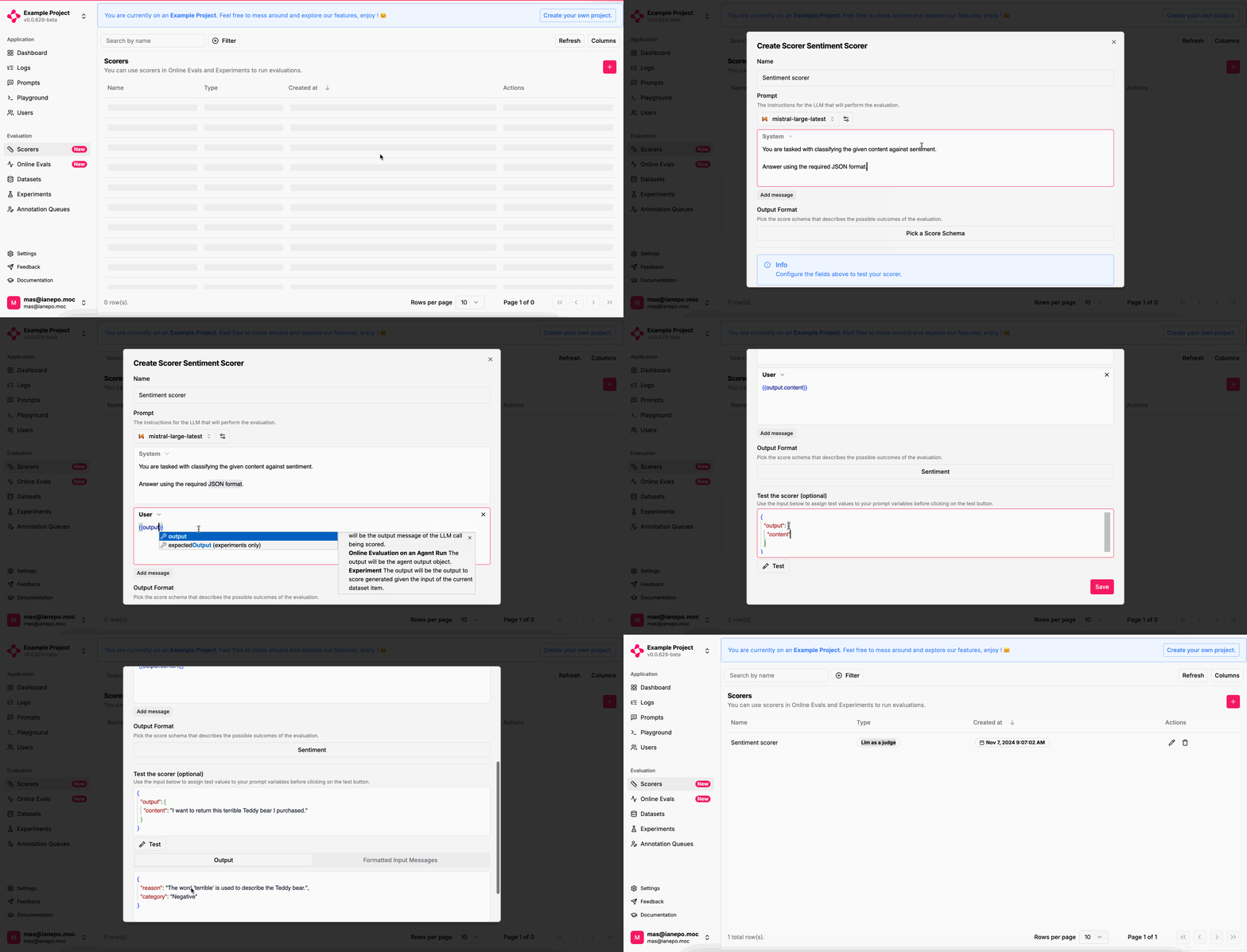
Create Scorer
Online Evals
Learn how to evaluate your LLM logs in production automatically.
Prompt Experiments
Learn how to run experiments from the Playground.
From the SDKs
For custom scorers, you can leverage the Literal AI SDK to add scores to yourSteps or Generations.