> ## Documentation Index
> Fetch the complete documentation index at: https://docs.literalai.com/llms.txt
> Use this file to discover all available pages before exploring further.
# Users
> Understand your end users, and how they interact with your application.
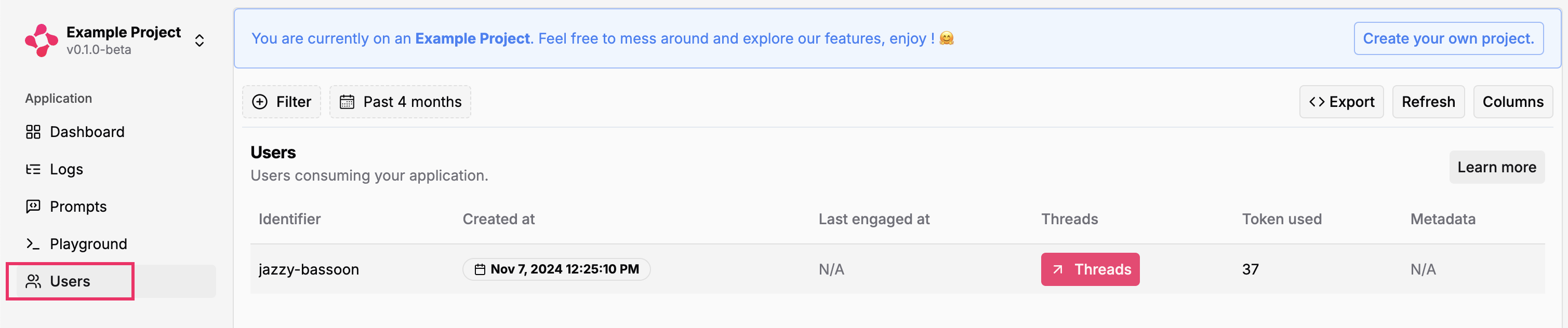
You can review user engagement from the **Users** page.
## Access threads for a specific user
Directly jump to `Threads` for specific users, check when they last engaged with the conversation.
 ## Filter by engagement
Filter users based on their engagement timeframes:
* Select specific date ranges to analyze user activity
* Use preset periods (last 7 days, last 30 days, etc.)
* Track engagement patterns over time
* Identify active vs inactive users
Follow proper privacy and consent guidelines when collecting user information.
## Filter by engagement
Filter users based on their engagement timeframes:
* Select specific date ranges to analyze user activity
* Use preset periods (last 7 days, last 30 days, etc.)
* Track engagement patterns over time
* Identify active vs inactive users
Follow proper privacy and consent guidelines when collecting user information.