> ## Documentation Index
> Fetch the complete documentation index at: https://docs.literalai.com/llms.txt
> Use this file to discover all available pages before exploring further.
# Overview
> Literal AI is the collaborative platform for building **production-grade LLM apps**.
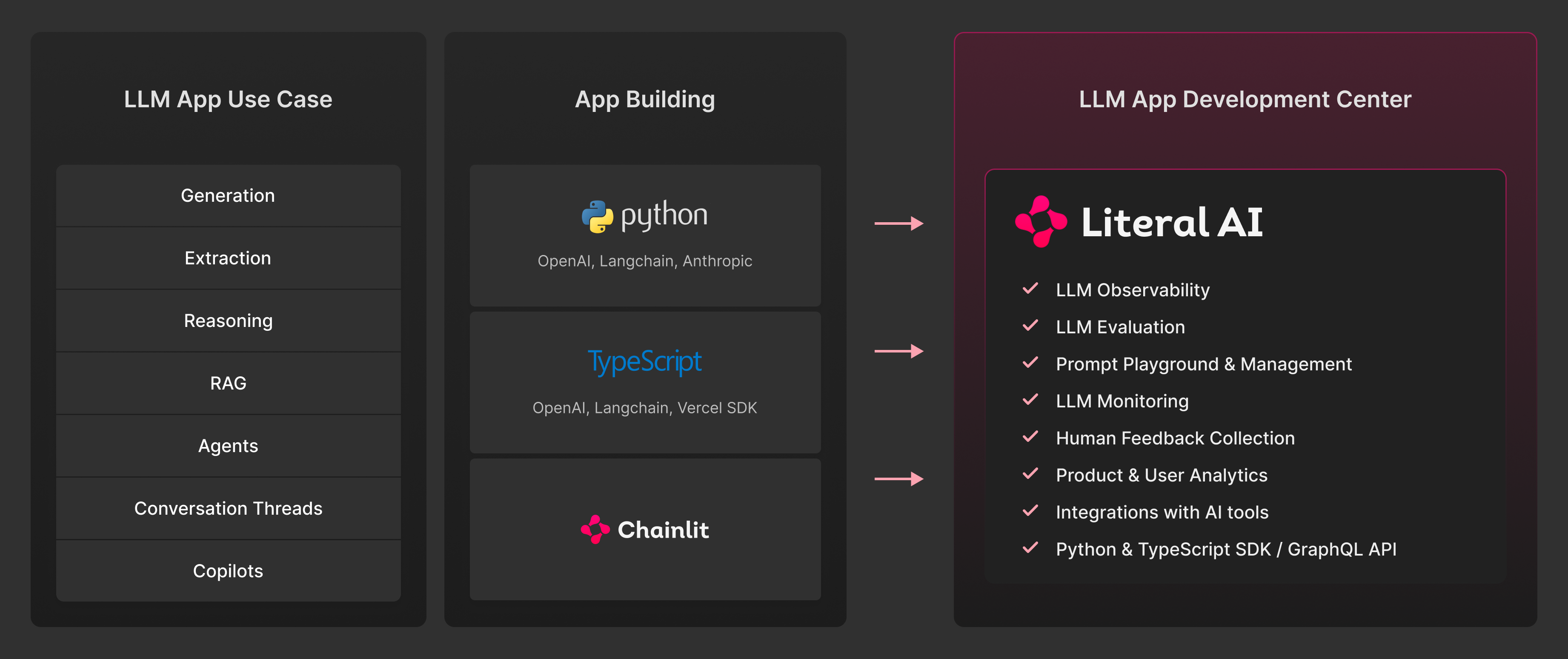
Literal AI is the collaborative **observability**, **evaluation** and **analytics** platform for building **production-grade LLM apps**. Literal AI offers multimodal logging, including vision, audio, and video.
 It covers a wide range of LLM-based use cases such as agentic applications, RAG, chatbots and task automation. Literal AI integrates seemlessly with many third parties such as [OpenAI](/integrations/openai), [LangChain/LangGraph](/integrations/langchain) or [Llama Index](/integrations/llama-index).
Please fill this [form](https://docs.google.com/forms/d/e/1FAIpQLSdPVGqfuaWSC2DfunR6cY4C7kUHl0c2W7DnhzsF9bmMxrVpkg/viewform?usp=header) for enterprise support.
## Key features
1. [Logs:](/guides/logs) Instrument your code with the Literal AI SDK to log your LLM app in production.
2. [Prompt Management:](/guides/prompts) Safely create, A/B test, debug, and version prompts directly from Literal AI.
3. [Dataset:](/guides/dataset) Create datasets mixing production data and hand written examples to run non regression tests/experiments.
4. [Evaluation:](/guides/scorers) Evaluate and monitor the performance of your LLM app in production. View LLM metrics in a dashboard, set automated rules and collect product & user analytics.
It covers a wide range of LLM-based use cases such as agentic applications, RAG, chatbots and task automation. Literal AI integrates seemlessly with many third parties such as [OpenAI](/integrations/openai), [LangChain/LangGraph](/integrations/langchain) or [Llama Index](/integrations/llama-index).
Please fill this [form](https://docs.google.com/forms/d/e/1FAIpQLSdPVGqfuaWSC2DfunR6cY4C7kUHl0c2W7DnhzsF9bmMxrVpkg/viewform?usp=header) for enterprise support.
## Key features
1. [Logs:](/guides/logs) Instrument your code with the Literal AI SDK to log your LLM app in production.
2. [Prompt Management:](/guides/prompts) Safely create, A/B test, debug, and version prompts directly from Literal AI.
3. [Dataset:](/guides/dataset) Create datasets mixing production data and hand written examples to run non regression tests/experiments.
4. [Evaluation:](/guides/scorers) Evaluate and monitor the performance of your LLM app in production. View LLM metrics in a dashboard, set automated rules and collect product & user analytics.
 ## Next up
Install the Literal AI SDK and get your API key.
Create, version and A/B test your prompts in the Prompt Playground.
## Next up
Install the Literal AI SDK and get your API key.
Create, version and A/B test your prompts in the Prompt Playground.